Your Thoughts.
Secured locally.
Backed up safely.
A lightning-fast note companion powered by a local SQLite database. Works 100% offline, launches instantly, and locks every thought behind biometric or PIN protection.
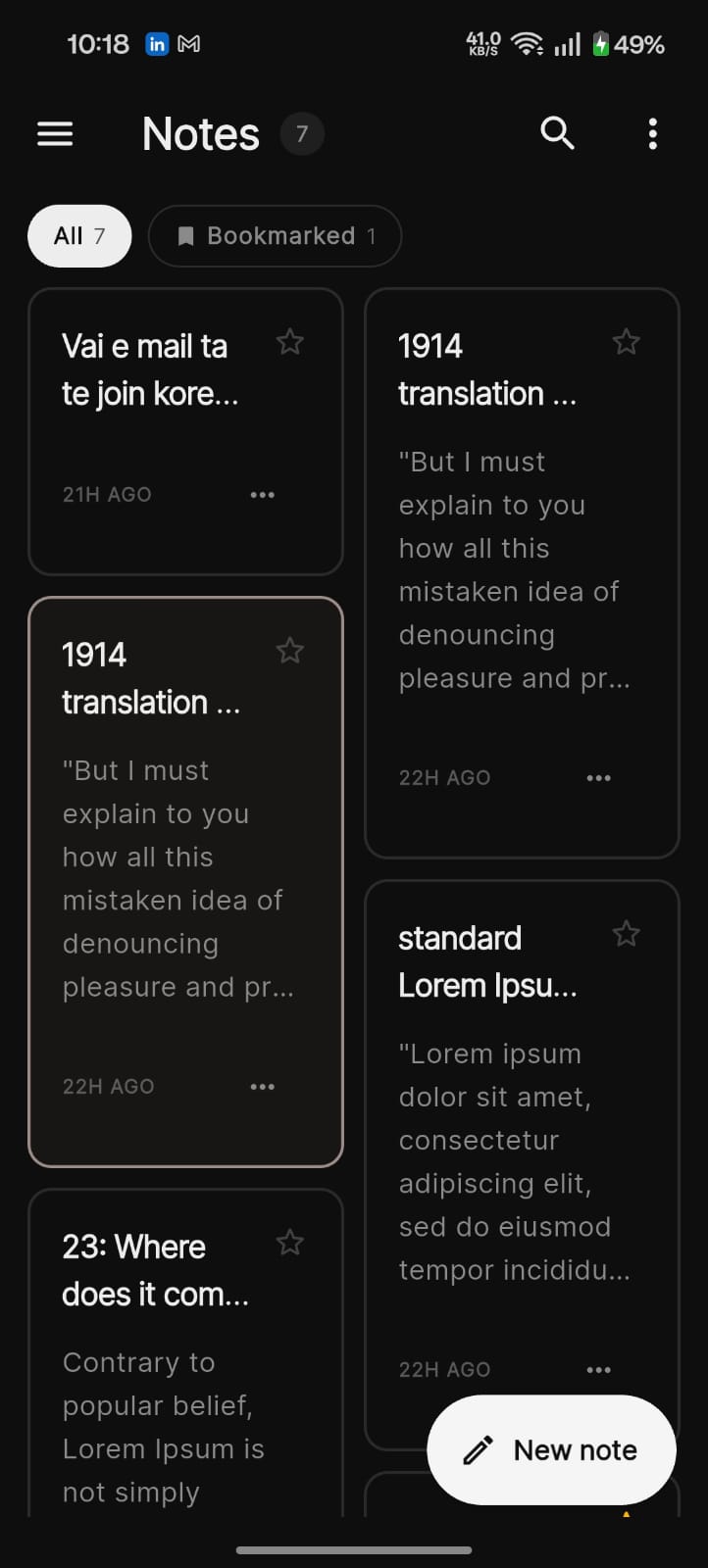
Everything You Need.
Slate Notes is engineered from the ground up for speed, privacy, and deep personalisation.
Local-First Database
Every note is persisted to a high-performance SQLite database directly on your device. Zero internet required—ever. Data starts instantly and remains 100% yours.
Pro-Tier Security Lock
Choose your shield: a secure 4-digit PIN with recovery question backup, or your device's native biometric fingerprint authentication. Only one lock can be active at a time.
Font & Theme System
Hand-pick your font style, choose from modular card patterns, and let the app follow your system's light or dark mode automatically—or lock it manually.
Secured Google Cloud Sync
Optionally authenticate with Google and back up to isolated Appwrite cloud storage. Notes are encrypted end-to-end—not even our servers can read them.
Feel the Difference.
Watch how Slate Notes keeps your thoughts organised, secured, and always within reach.
Instant Launch
Notes open in under a second straight from your lock screen—no login delay.
Biometric & PIN
Protect every thought with fingerprint auth or a 4-digit PIN with secure recovery.
Optional Cloud Backup
Sign in with Google to back up notes to an isolated Appwrite bucket—fully encrypted.
Custom Themes & Fonts
Switch between dark and light mode, choose card patterns, and pick your favourite font—all live.
FAQ
Is Slate Notes really 100% offline? +
Yes. Every note is written directly to a SQLite database on your device. The app does not require an internet connection to create, edit, search, or delete notes. Cloud sync is entirely optional.
What happens if I forget my PIN? +
During PIN setup you are prompted to set a security recovery question and answer. If you forget your PIN, answer the question correctly to regain access and set a new one. Biometric authentication is not recoverable through the app—use your device's system settings.
How does Google Cloud sync work? +
Signing in with Google authenticates your identity. Notes are then backed up to an isolated Appwrite storage bucket associated only with your account. The data is encrypted in transit and at rest. You can request a full wipeout from inside the app settings at any time.
Can I use biometric and PIN lock at the same time? +
Only one lock method can be active at a time. Enable biometric lock or PIN lock from the App Lock screen—switching to one automatically disables the other. This keeps authentication predictable and secure.
What customisation options are available? +
You can choose from multiple font families, switch between several card layout patterns, and toggle between dark and light theme—or let the app follow your system preference automatically.
Light. Dark. Always Beautiful.
Slate Notes adapts to your environment with a fully reactive theme system. Toggle modes in a single tap.
Notes 7
Discussed Q4 targets and the upcoming roadmap...
21H AGOBut I must explain how all this mistaken idea...
22H AGONew UI concepts for the dashboard sprint...
22H AGOLorem ipsum dolor sit amet, consectetur...
1D AGOTheme changes apply instantly across your entire library.
Get in Touch
Have questions, feedback, or want to collaborate? Reach out through any of the channels below.
Mehedi Hasan Shohag
Developer · Slate Notes